 CharterBoards
Every part of the board meeting, in one place.
CharterBoards follows the meeting cycle your board already uses: agenda, meeting, minutes, posting. Here's what each step looks like.
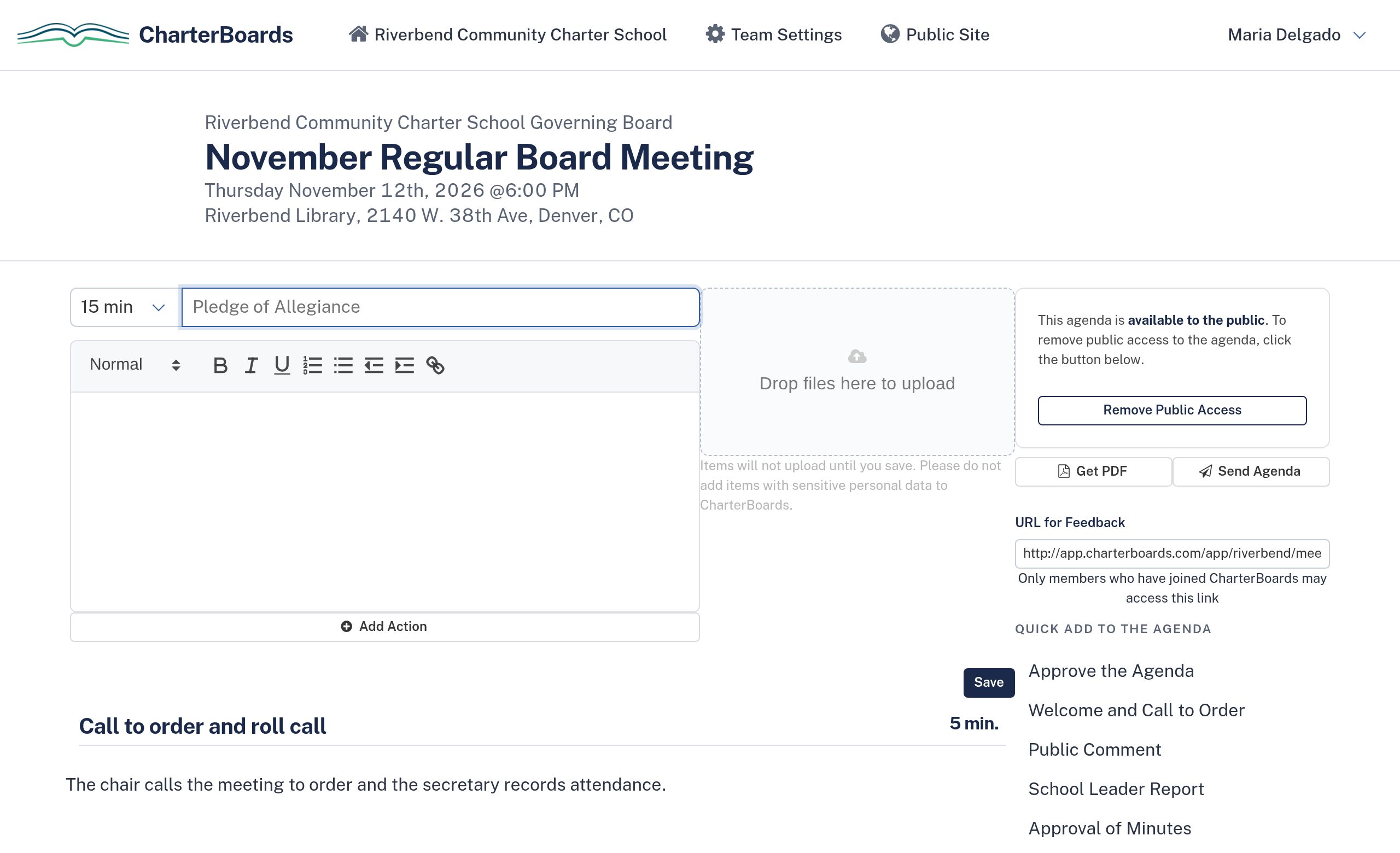
Build the agenda in minutes, not evenings.
Start from your board's template, or copy last month's agenda and change what's new. Each item gets a time, a description, and its documents.
- Quick-add items from your board's own template
- Copy the last meeting's agenda in one click
- Attach reports, budgets, and policies to each item
- Board members send feedback before the agenda is final
- Publish to your public page, send to members, or download a PDF
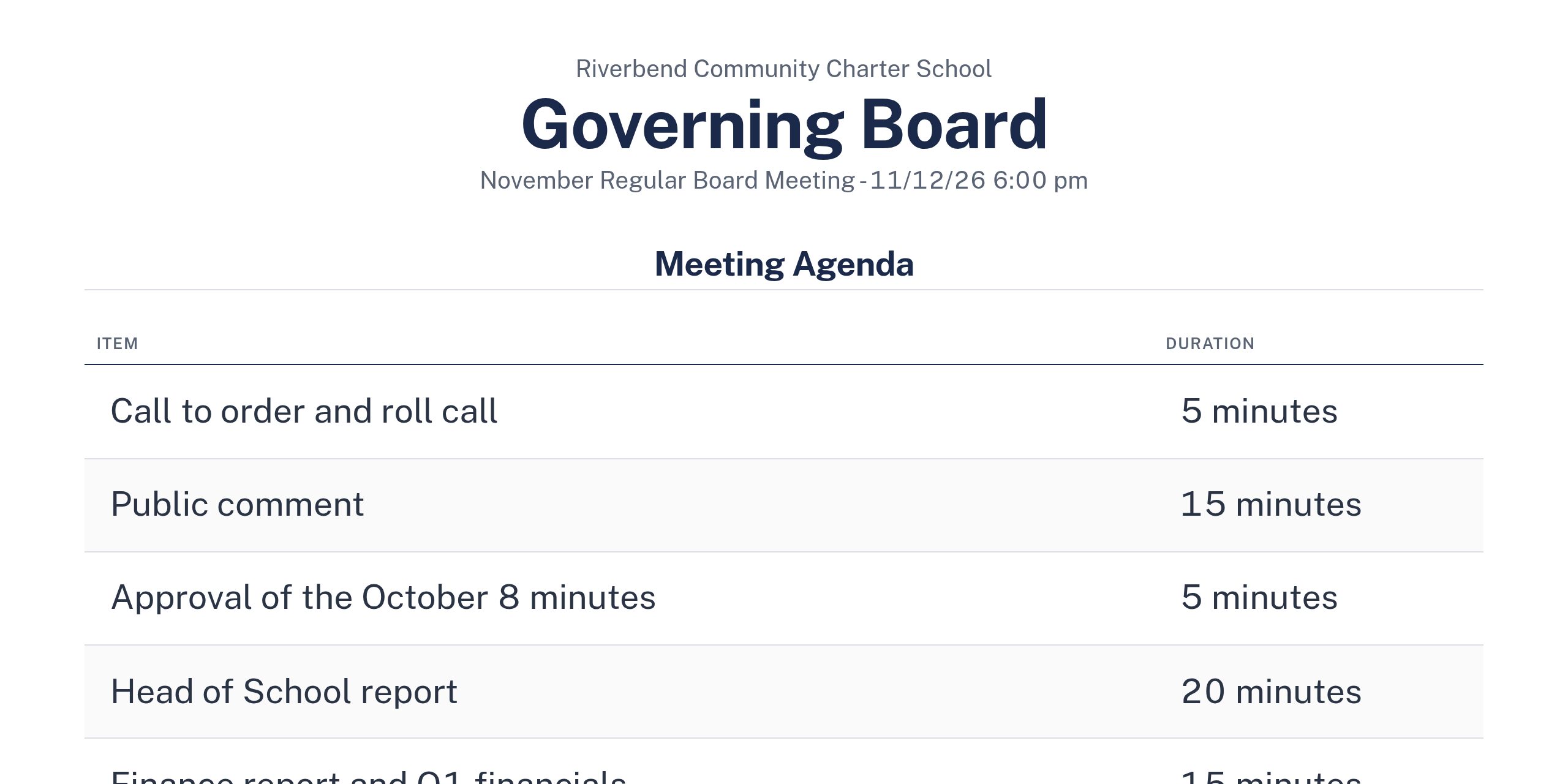
Everyone looks at the same agenda.
Put the agenda on the screen for the room. The chair moves from item to item, and members can follow along on their own devices.
- Attendance and quorum, with arrival and departure times
- Agenda on screen, with a timer for each item
- Park topics for later without losing them
- Assign follow-up tasks to members
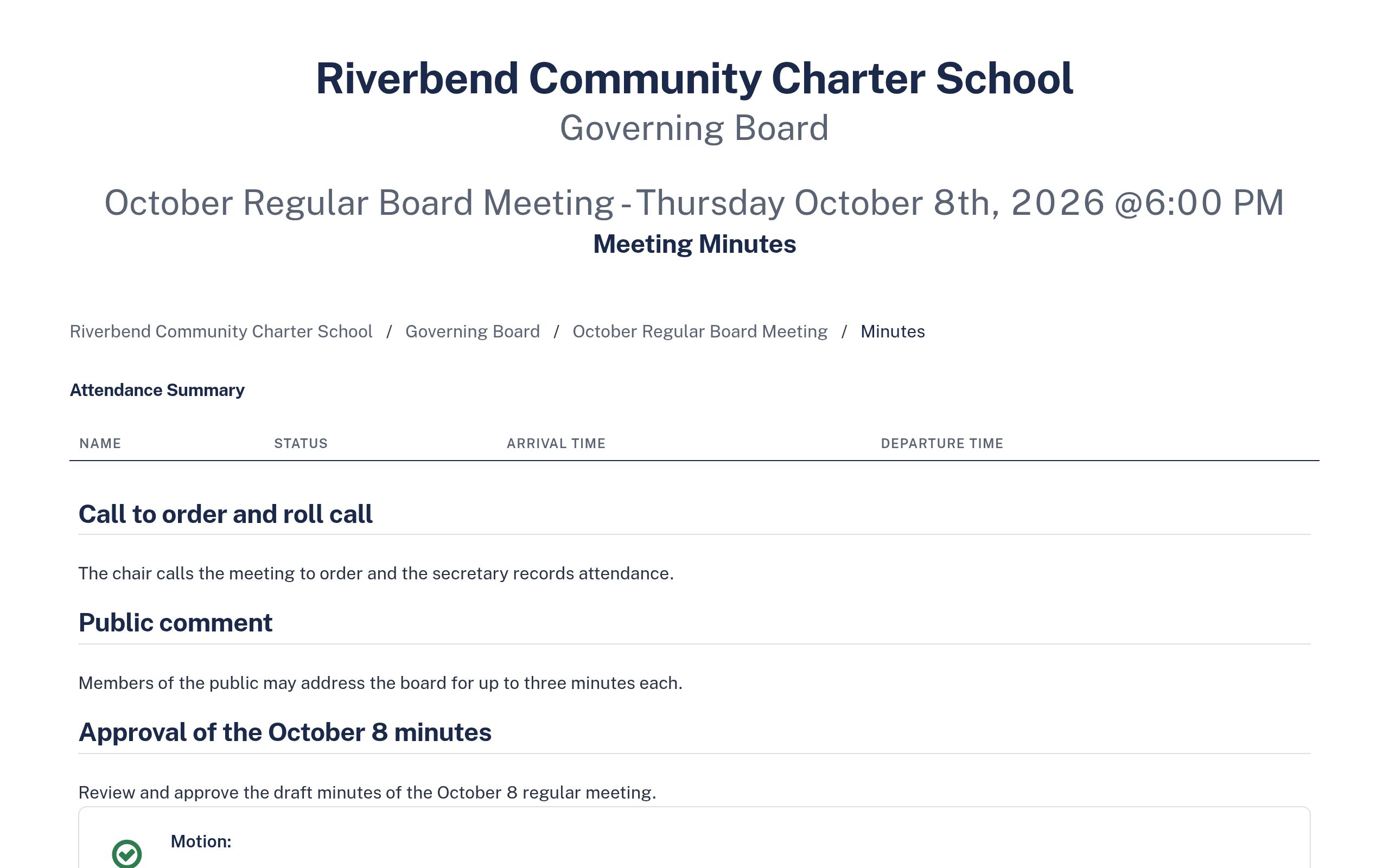
Record motions as they happen.
The agenda becomes the outline of your minutes. Record each motion, who moved and seconded it, and how each member voted. When you adjourn, the draft is done.
- Motions, seconds, and roll-call votes
- Notes and attachments on each item
- Mark minutes for review, then approved
- A PDF for your records and your authorizer
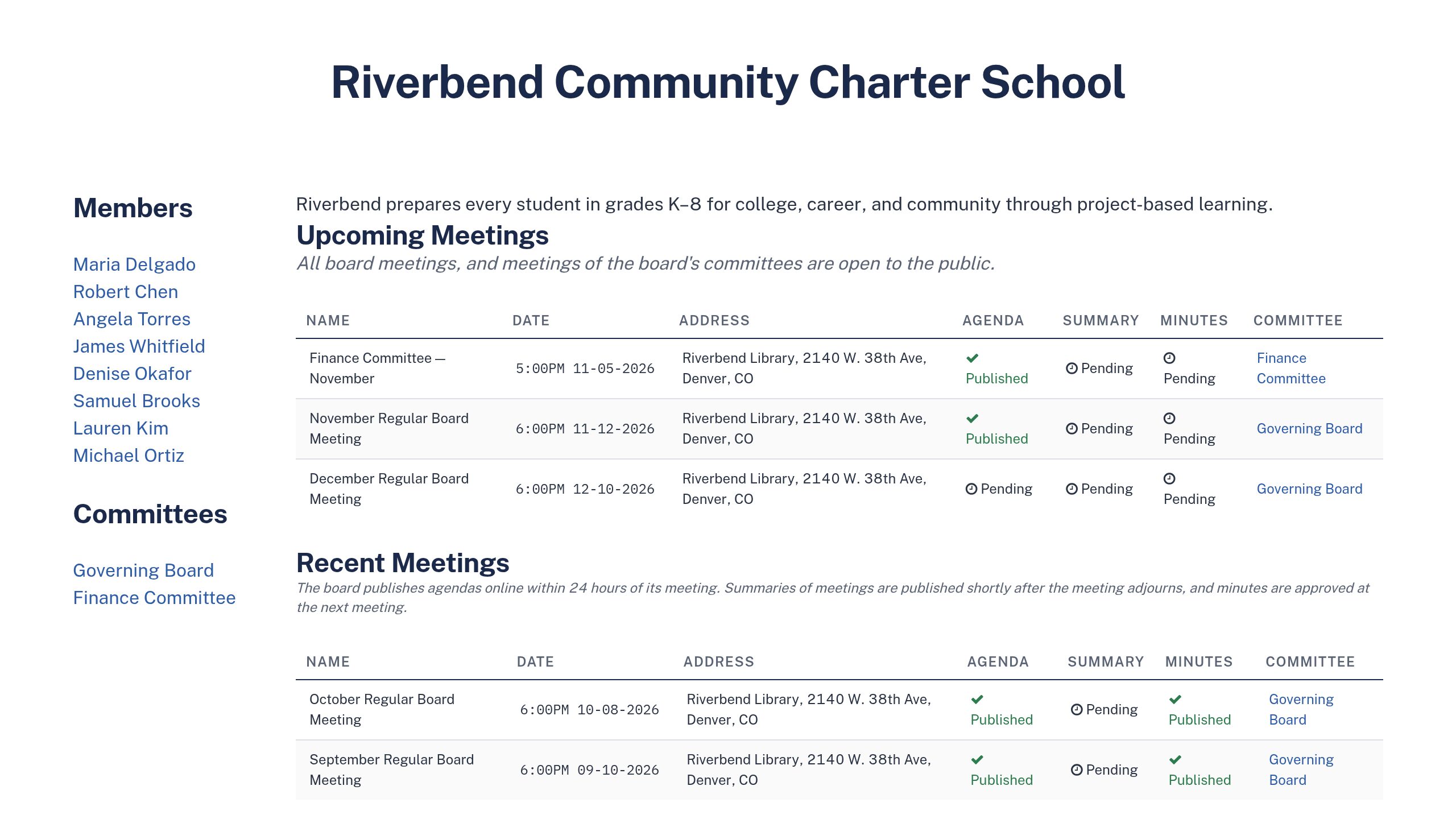
Post it once. Everyone can find it.
Every board gets a public page for its meetings, agendas, minutes, members, and committees. It updates as you publish, so you don't keep a second website in sync.
- Upcoming and past meetings with their documents
- A calendar feed people can subscribe to
- Member bios and committee pages
- Turn it off if your board doesn't meet in public
Every board record, in one place for renewal.
When your authorizer asks for two years of minutes, you shouldn't have to dig through email.
Search the minutes
Find every time the board discussed a topic or voted on a policy.
Committees
Finance, governance, and other committees get their own meetings, members, and minutes.
School documents
Keep the charter, budget, and annual report with the board's records.
Export everything
Download all your agendas and minutes as PDFs in one file, any time.
Try it with your next board meeting.
Set up your board, invite your members, and run your next meeting in CharterBoards. If you'd rather see it first, book 30 minutes with Clay.
$150 a month, billed yearly. Free for 45 days. No credit card.